Web Audio API Explained: How Browser-Based Audio Processing Works
Understand the Web Audio API technology that enables professional audio processing directly in your browser. Covers AudioContext, FFT analysis, offline rendering, and how DeckReady leverages these capabilities for privacy-first mastering.
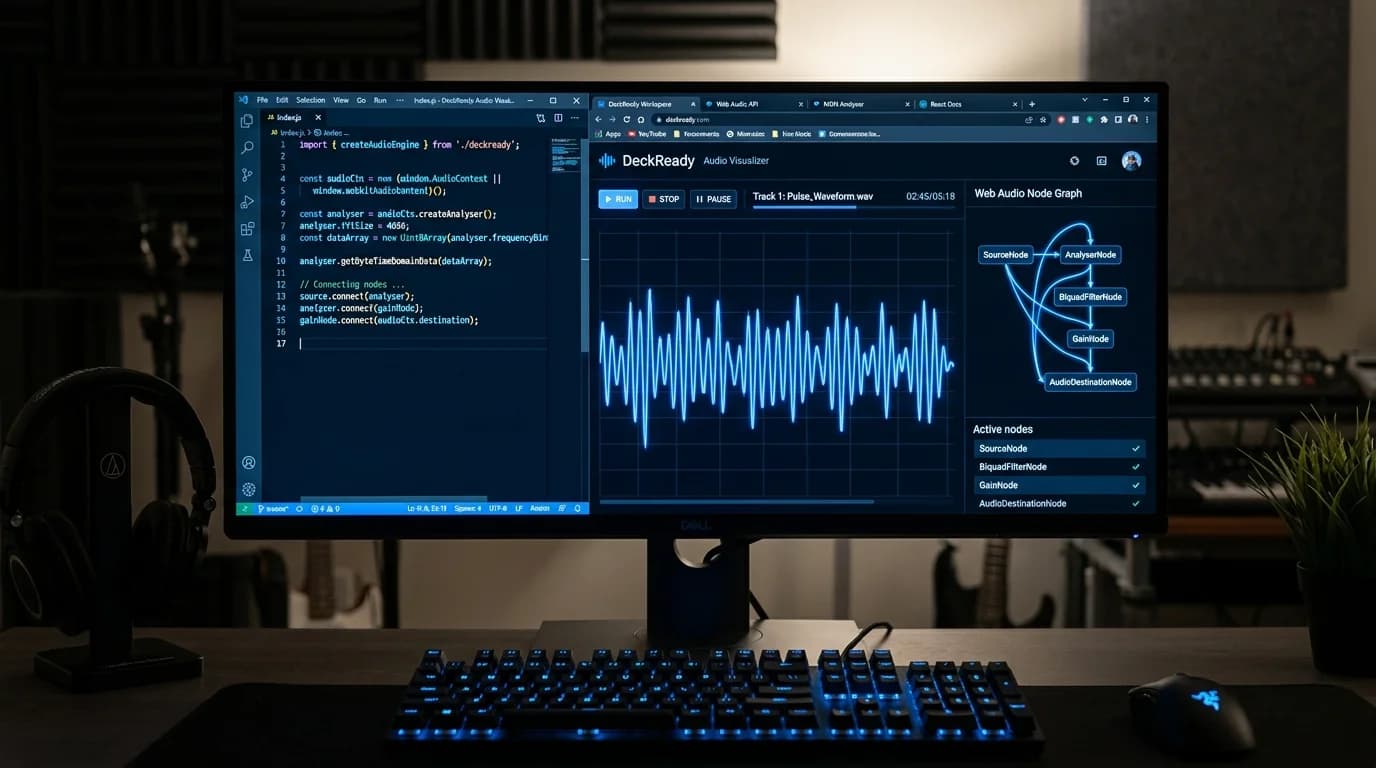
Audio Processing in a Browser?#
When you hear "audio processing," you probably think of dedicated software like a DAW and expensive plugins. But today, professional-grade audio processing is possible using nothing but a web browser.
The technology behind this is the Web Audio API. It is supported by Chrome, Firefox, Safari, and Edge — every major browser — with zero software installation required.
This article explains how the Web Audio API works and why browser-based audio processing has become viable for real-world use. No programming background needed.
Web Audio API Overview#
The Web Audio API is a standardized audio processing system built into web browsers. Defined by the W3C (the organization that sets web standards), it is implemented in all modern browsers.
What It Can Do#
| Capability | Description | Applications |
|---|---|---|
| Playback | Load and play audio files | Music players, game audio |
| Real-time processing | Modify audio signals live | Effects, filters |
| Frequency analysis | FFT-based spectrum analysis | Visualizers, tuners |
| Synthesis | Generate waveforms from scratch | Synthesizers, sound effects |
| Spatial audio | Position sounds in 3D space | VR/AR audio |
| Recording | Capture microphone input | Voice recorders, streaming |
Before vs. After Web Audio API#
| Feature | Legacy (HTML5 Audio) | Web Audio API |
|---|---|---|
| Processing | Play and stop only | Filters, EQ, compression, and more |
| Latency | High (hundreds of ms) | Low (single-digit ms) |
| Multi-track | Unstable | Stable processing of dozens of tracks |
| Analysis | Not possible | Real-time FFT analysis |
| Offline rendering | Not possible | Supported (fast) |
Understanding AudioContext#
The central concept in the Web Audio API is the AudioContext. Think of it as the workspace for audio processing.
What AudioContext Does#
AudioContext manages audio routing — defining where sound comes from, what processing it passes through, and where it goes.
Source -> Filter -> Compressor -> Output (Speakers)
This chain is called an "audio graph." Each processing step is a "node," and you connect nodes together to build processing chains.
Key Node Types#
| Node | Purpose | Meaning for DJs/Producers |
|---|---|---|
| GainNode | Volume control | Fader control |
| BiquadFilterNode | Filters (EQ, high-pass, etc.) | Band-specific level control |
| DynamicsCompressorNode | Dynamics compression | Loudness evening |
| AnalyserNode | Frequency analysis | Spectrum display, LUFS metering |
| ConvolverNode | Convolution processing | Reverb application |
FFT: Seeing Sound by Frequency#
FFT (Fast Fourier Transform) is the core analysis technology within the Web Audio API.
What FFT Does#
Audio signals in the time domain appear as simple waveforms (amplitude over time). FFT transforms this into the frequency domain, showing which frequencies are present and at what levels.
For example, FFT analysis of a track might reveal:
- Large peak at 50Hz -> Kick drum sub bass
- Energy distributed at 200-400Hz -> Bassline fundamental
- Presence at 2-4kHz -> Vocal core
- Content above 8kHz -> Hi-hats, air
Why DJs and Producers Should Care#
| Application | What It Enables |
|---|---|
| LUFS measurement | Accurate loudness quantification |
| Band balance check | Visual low/mid/high frequency balance |
| Problem identification | Spot resonances and problematic peaks |
| Genre analysis | Understand genre-specific frequency profiles |
Offline Rendering: Faster Than Real-Time#
The Web Audio API includes OfflineAudioContext, a mode that processes audio as fast as the CPU allows rather than in real-time.
Real-Time vs. Offline#
| Aspect | Real-Time Processing | Offline Processing |
|---|---|---|
| Speed | Matches playback duration | CPU-dependent, often 10-50x faster |
| Speaker output | Yes | No (data only) |
| Use case | Preview, monitoring | File export, batch processing |
| Accuracy | Sample-accurate | Sample-accurate |
A 3-minute track takes 3 minutes to process in real-time. Offline processing completes the same work in seconds. When processing 50 tracks for a DJ set, this speed difference is enormous.
How DeckReady Uses Web Audio API#
DeckReady is built entirely on Web Audio API capabilities.
Processing Pipeline#
Input File
  -> Decode (AudioBuffer)
  -> AnalyserNode (FFT analysis -> LUFS measurement)
  -> BiquadFilterNode (EQ processing)
  -> DynamicsCompressorNode (dynamics control)
  -> GainNode (loudness normalization)
  -> Limiter (True Peak limiting)
  ->
Output File (WAV / MP3)
Benefits of Browser-Based Processing#
| Benefit | Details |
|---|---|
| No installation | Works immediately in any browser |
| Cross-platform | Windows, Mac, Linux, smartphones |
| Privacy protection | Audio files never leave your device |
| Offline capable | Works without internet once loaded |
| Always current | No software update process needed |
Privacy protection is especially important for DJs handling copyrighted audio. Files never leave the browser — all processing completes locally on your device.
Web Audio API Limitations#
The technology is powerful but not unlimited.
Current Constraints#
| Limitation | Details | DeckReady's Solution |
|---|---|---|
| CPU dependent | Processing speed depends on device hardware | Offline rendering maximizes efficiency |
| Memory limits | Large audio files can exceed available memory | Chunk-based processing |
| Codec support | Some formats (AIFF) unsupported in certain browsers | WAV/MP3/FLAC/OGG support |
| Precision | 32-bit floating point (DAWs may use 64-bit) | More than sufficient for DJ use |
Is 32-bit Precision Enough?#
The Web Audio API performs internal calculations at 32-bit floating point. Professional mastering studios sometimes use 64-bit processing. For DJ audio preparation and loudness normalization, 32-bit precision is more than adequate — it far exceeds the limits of human hearing.
Conclusion#
The Web Audio API is a full-featured audio processing engine built into every modern browser.
- AudioContext — The workspace for building audio processing chains from connected nodes
- FFT — Decomposes audio into frequency components for LUFS measurement and spectral analysis
- Offline rendering — Processes audio at 10-50x real-time speed, ideal for batch operations
- Privacy — Everything stays in the browser. No data leaves your device
DeckReady leverages this technology to deliver an experience that was previously impossible: installation-free, privacy-preserving, cross-platform audio mastering. The era of "a browser is all you need" has arrived.
Get DJ mastering tips
Weekly tips for music production.