5 Best Browser-Based Music Tools — No Install Required
Discover 5 powerful browser-based music production and mastering tools. Compare BandLab, Soundtrap, DeckReady, Amped Studio, and AudioMass — with feature breakdowns and use-case recommendations.
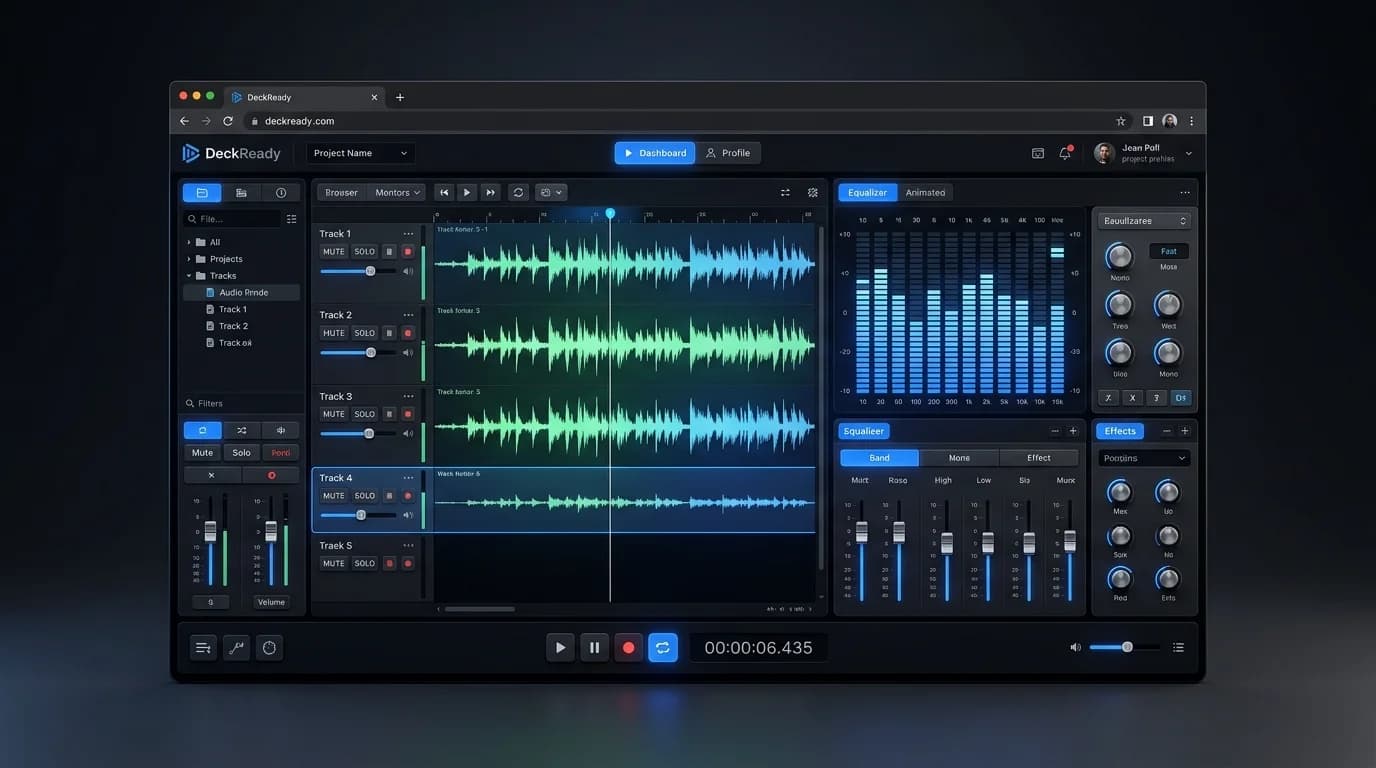
Making Music in Your Browser Is Now Real#
Music production once demanded expensive DAW software and high-spec hardware. In 2026, fully capable tools run entirely in your web browser — no installation, no setup, just create.
These browser-based platforms serve everyone from absolute beginners to working professionals. Here are five standout tools worth knowing.
1. BandLab — The Free Online DAW#
Overview#
BandLab is a completely free online DAW from Singapore. Record, program MIDI, mix, and master — all in your browser.
Strengths#
- 100% free — No paid tiers. Funded by hardware sales and advertising
- Massive sound library — Thousands of loops, virtual instruments, and effects
- Real-time collaboration — Work on projects simultaneously with others
- Built-in social network — Publish tracks, get feedback, connect with creators
Best For#
Pop, hip-hop, EDM, rock, R&B — preset loops and templates cover all major genres.
Limitations#
- No VST/AU plugin support
- Requires internet connection
- Mastering features are basic
2. Soundtrap — Spotify's Online DAW#
Overview#
Owned by Spotify, Soundtrap is a browser DAW with strong education features and podcast production tools.
Strengths#
- Education-focused — Classroom management, curriculum integration
- Podcast production — Record, edit, add BGM, and distribute
- Built-in auto-tune — Vocal pitch correction included
- Spotify integration — Track analytics and distribution compatibility
Limitations#
- Free plan has track count limits
- Some premium loops/effects require subscription
- Smaller community than BandLab
3. DeckReady — Browser-Based Mastering#
Overview#
DeckReady is not a DAW — it's a mastering-focused tool designed for DJs and event organizers. Batch-process multiple tracks for consistent loudness, all in your browser.
Strengths#
- Mastering-specific — Focused functionality means simple operation
- Local processing — Unlike other browser tools, audio never leaves your device. Privacy-first
- Batch processing — Handle multiple files at once for DJ set preparation
- LUFS targeting — Specify exact loudness targets for any platform
Limitations#
- No DAW features (no recording, no MIDI)
- Cannot be used for music production itself
- Free plan limited to 5 tracks/month
4. Amped Studio — Feature-Rich Browser DAW#
Overview#
Amped Studio packs desktop-DAW-level features into a browser interface: MIDI editor, virtual instruments, effect chains, and AI-assisted composition.
Strengths#
- Full MIDI editor — Piano roll, step sequencer, drum pads
- Virtual instruments — Synths, samplers, drum machines
- Effect chains — EQ, compressor, reverb, delay — freely chainable
- AI assistance — Chord progression suggestions and melody generation
Limitations#
- Some features require paid subscription
- Smaller community than BandLab
- Needs reasonable PC specs
5. AudioMass — Lightweight Audio Editor#
Overview#
AudioMass is an ultra-lightweight browser audio editor. Not a full DAW, but perfect for quick audio file editing.
Strengths#
- No account needed — Open the site and start immediately
- Intuitive UI — Waveform display, cut, copy, paste
- Built-in effects — Reverb, delay, distortion, EQ
- Free and open-source — Code is publicly available
- Privacy — No files uploaded to any server
Limitations#
- No multitrack editing
- No MIDI support
- No advanced mastering
Comparison Table#
| Feature | BandLab | Soundtrap | DeckReady | Amped Studio | AudioMass |
|---|---|---|---|---|---|
| Price | Free | Freemium | Freemium | Freemium | Free |
| DAW features | Excellent | Excellent | None | Excellent | Basic |
| Mastering | Basic | Basic | Excellent | Basic | Basic |
| MIDI | Yes | Yes | No | Excellent | No |
| Collaboration | Excellent | Good | No | Limited | No |
| Local processing | No | No | Yes | No | Yes |
| No signup needed | No | No | No | No | Yes |
| Education focus | Good | Excellent | No | Limited | No |
Recommendations by Use Case#
Music production beginners#
BandLab — Free, loop-based creation gets you making music immediately. Community feedback accelerates learning.
Students and educators#
Soundtrap — Curriculum integration and classroom management built in.
DJs and event organizers#
DeckReady — Purpose-built for loudness normalization and batch processing. Complete DJ set preparation in your browser.
Serious MIDI production#
Amped Studio — Closest to a desktop DAW experience in browser form.
Quick audio edits#
AudioMass — Zero friction. Open, edit, export. No account, no waiting.
The Future of Browser-Based Music Tools#
Web Audio API, WebAssembly, and WebGPU advances are closing the gap between browser and desktop tools rapidly. By 2026, mastering tools like DeckReady already deliver results indistinguishable from installed software.
For production, desktop DAWs still have the edge in plugin ecosystems and complex workflows. But that gap shrinks every year.
Summary#
Browser-based music tools have arrived. Whether your budget is zero or your PC is modest, these five tools let you start creating, editing, or mastering audio immediately. No install, no commitment — just open your browser and go.
Get DJ mastering tips
Weekly tips for music production.
Related Articles
Compressor Basics Explained — A DJ & Producer Beginner's Guide
Learn how audio compressors work: threshold, ratio, attack, release explained simply. Understand DJ-relevant compression techniques, compressor types, and how DeckReady applies optimized compression automatically.
10 Best Free DJ Tools in 2026: From Music Management to Audio Quality
Discover the top 10 free tools every DJ needs in 2026. Covers DeckReady for loudness normalization, rekordbox for library management, Audacity for editing, and more — all free to use.
5 Best Free Mastering Tools in 2026: Ranked for Beginners
Compare the top 5 free mastering tools available in 2026. DeckReady, LANDR, BandLab, Audacity, and Soundtrap reviewed with features, pros, cons, and a beginner-friendly ranking.
How to Make GarageBand Tracks Sound Professional
Turn your GarageBand productions into release-ready tracks. Learn GarageBand's real limitations, optimal export settings, mixing tips, and how to master with DeckReady for Spotify and Apple Music quality.