Bar BGM Setup Guide — Volume, EQ & Atmosphere by Venue Type
Complete guide to bar background music setup. Learn ideal volume levels by bar type, how to balance music with conversation, bass cut techniques, and how DeckReady's Lounge preset optimizes bar audio.
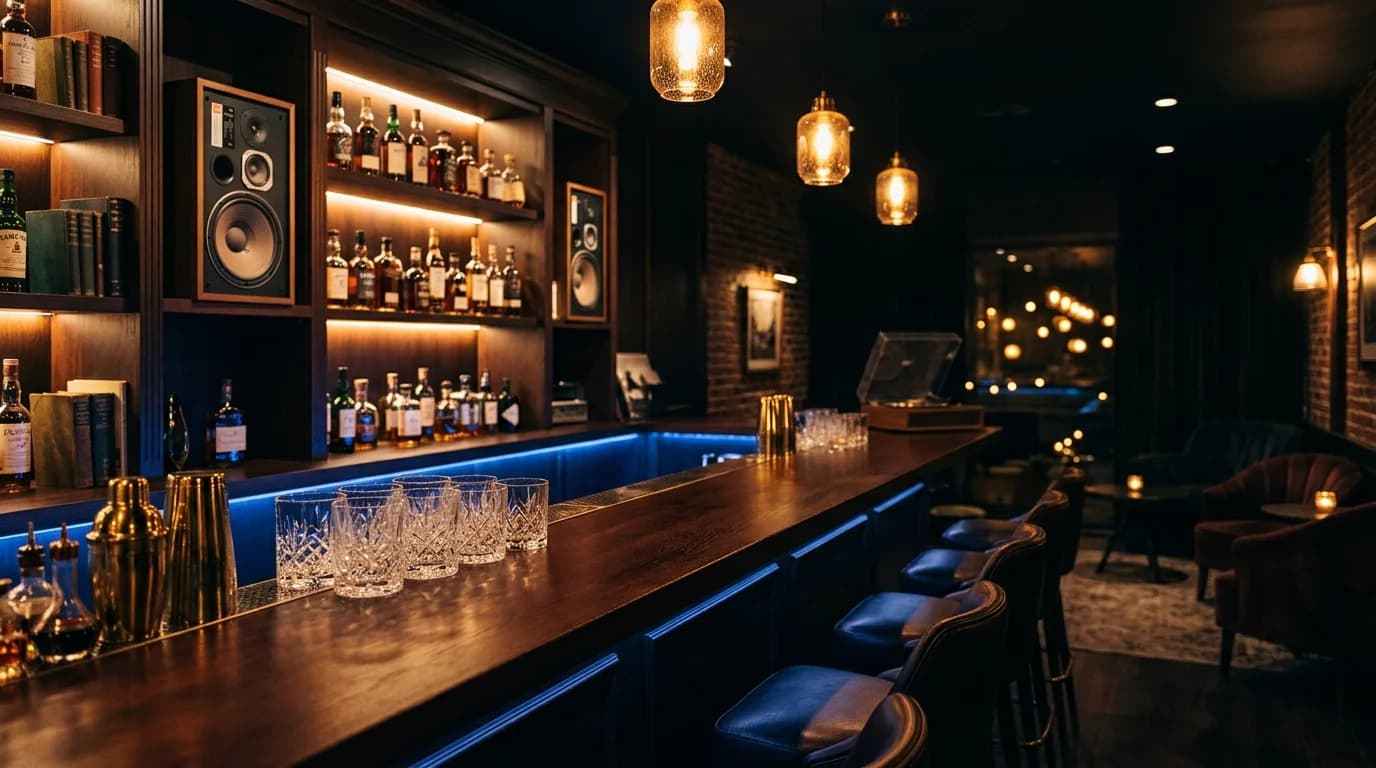
Bar BGM Is the Star of Atmosphere Design#
In a bar, BGM is not just background noise — it's a core element of atmosphere design, as important as lighting, interior decor, and the cocktail menu.
Too loud and conversation dies. Too quiet and the space feels empty. Wrong genre and even beautiful decor can't save the vibe.
This guide covers optimal BGM volume settings by bar type, techniques for balancing music with conversation, and practical audio optimization methods.
Volume Recommendations by Bar Type#
Classic Cocktail Bar (Quiet Bar)#
In a traditional cocktail bar, conversation between guests and bartender is the main event.
| Parameter | Recommendation |
|---|---|
| Volume | 45–55 dB (between whisper and normal conversation) |
| Genres | Jazz piano, bossa nova, classical |
| BPM | 60–90 |
| Note | Avoid vocals. Instrumental only |
The perfect level: guests think "Was there music playing?" — yet when it stops, the room feels empty.
Dining Bar#
Food-service bars need time-based volume transitions:
| Time Period | Volume | Genre |
|---|---|---|
| Early dinner (6–8 PM) | 50–55 dB | Acoustic, jazz |
| Late dinner (8–10 PM) | 55–60 dB | Jazz, soul |
| Bar time (10 PM+) | 55–65 dB | Deep house, chillout |
Keep it quiet during dining; gradually increase as the evening shifts to drinks.
Sports Bar / Casual Bar#
Energy-focused bars let BGM actively participate in the atmosphere:
| Parameter | Recommendation |
|---|---|
| Volume | 65–75 dB |
| Genres | Pop, rock, hip-hop |
| BPM | 110–130 |
| Note | Mute or minimize BGM during live sports broadcasts |
Music Bar / DJ Bar#
When music IS the product, it's main content, not background:
| Parameter | Recommendation |
|---|---|
| Volume | 75–85 dB |
| Genres | Concept-dependent |
| Note | Above 85 dB risks hearing damage with prolonged exposure. Provide ventilation and rest areas |
Three Techniques for Balancing Music and Conversation#
1. Frequency Separation#
Human speech concentrates in 250 Hz–4 kHz. BGM's bass (below 100 Hz) and highs (above 8 kHz) don't conflict with speech, so leverage those while keeping mids restrained:
- Cut below 100 Hz — Eliminates low-end rumble. Dramatically improves speech clarity
- Reduce 1–3 kHz by 2–3 dB — Minimizes frequency collision with conversation
- Leave highs intact — Preserves musical sparkle
2. Light Compression for Consistency#
Jazz and other dynamic genres have wide volume swings. Uncompressed playback means quiet passages disappear while loud moments suddenly intrude. Gentle compression evens out these swings for stable BGM — but don't over-compress or you'll kill the musical expression.
3. Loudness Normalization#
Normalizing all playlist tracks to the same loudness means no more volume adjustments between songs. During busy service, bartenders don't have time to touch the volume knob. Pre-normalized audio is the key to smooth operations.
Why Bass Cutting Is the Highest-ROI Improvement#
The Problem#
Bar spaces have more reverberation than homes, and low frequencies accumulate from wall and ceiling reflections. This creates a "muddy" sound where you feel something is playing but can't tell what it is.
Cutting below 100 Hz delivers:#
- Clearer speech — Low-frequency masking removed
- Presence without volume — Mid-highs become more prominent
- Less speaker strain — Small speakers reproduce cleaner audio
- Lower noise complaints — Bass penetrates walls most easily
Methods#
Option 1: Amp/mixer EQ — Most commercial amplifiers have a low-cut filter. Set it around 80–120 Hz.
Option 2: Pre-process audio files — DeckReady's Lounge preset includes bass reduction. Process tracks before loading them onto your playback system.
Option 3: Digital signal processor — Hardware from DBX or Behringer offers professional-grade control, but requires investment and expertise.
Optimizing Bar BGM with DeckReady#
DeckReady's Lounge preset handles bar BGM optimization in one step:
Processing Details#
- Loudness normalization — All tracks to -16 LUFS
- Low-cut filter — -4 dB below 100 Hz 3. Mid-range adjustment — Reduces speech-frequency interference 4. Soft limiter — Prevents sudden volume spikes
Workflow#
- Upload your playlist tracks to DeckReady
Select Lounge preset and batch process 3. Download processed files 4. Load onto USB drive or network storage for playback
Once processed, the volume knob barely needs touching during service. Only process new additions as you add them.
Automating Time-Based Playlist Switching#
Simple Methods#
- Spotify scheduled playlists — Pre-set playlists for different time slots
- Smart speaker routines — "Play jazz playlist at 6 PM"
- Commercial BGM services — Mood Media, Rockbot, etc. offer built-in scheduling
Transition Tips#
- Use crossfades — Avoid abrupt music changes
- Match BPM at transitions — End one playlist near the starting BPM of the next
- Gradual volume shifts — Never jump volume levels suddenly
Summary#
Three fundamentals of bar BGM:
- Match volume to your bar type — 45–55 dB for cocktail bars, 65–75 dB for casual bars
- Cut bass to let music and conversation coexist — Below 100 Hz cut is the single highest-impact improvement 3. Normalize track volumes — DeckReady's Lounge preset unifies everything to -16 LUFS
Many bar owners obsess over genre selection but neglect volume and sound quality. Optimizing these basics elevates the guest experience immediately.
Get DJ mastering tips
Weekly tips for music production.
Related Articles
Retail Store BGM Guide — How Music Drives Sales in Fashion Shops
Learn how to select and optimize background music for apparel stores. Discover the relationship between music volume and customer dwell time, brand-aligned genre selection, and how to use DeckReady's Lounge preset for retail.
Cafe BGM Guide — Music Selection & Audio Quality Tips for Owners
What volume should cafe BGM be? Exact dB levels, ideal background music volume for customers, time-based playlist design, and how to fix track-to-track volume jumps automatically with DeckReady.
Hotel Lounge BGM: Audio Settings That Create a Luxury Atmosphere
Design the perfect audio environment for hotel lounges and lobbies. Learn volume guidelines, classical and jazz processing, low-frequency management, time-based playlist scheduling, and speaker placement for premium hospitality.
BGM Volume Guide for Restaurants & Bars [Fix Audio in Minutes]
BGM volume meaning explained: the right dB levels for restaurants, bars, and cafes. Fix inconsistent background music volume, overpowering bass, and poor audio quality with DeckReady's Lounge preset.