Event PA Sound Guide: How to Unify Audio Levels for Live Events
A practical guide for PA engineers and DJs on input level management, DJ-PA coordination, gain staging, and how pre-mastering with DeckReady improves event audio quality.
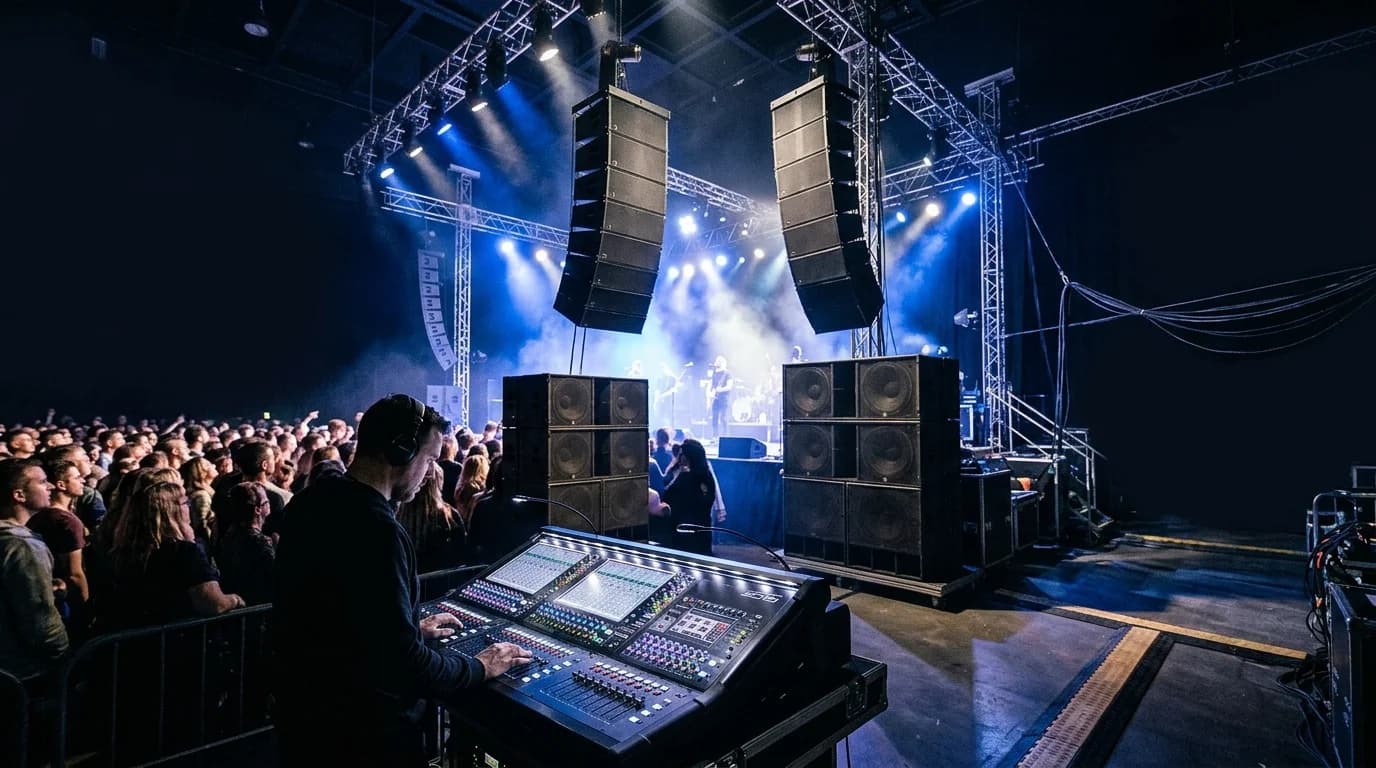
PA Engineering Fundamentals#
PA (Public Address) refers to the entire system that delivers sound through speakers to an audience. Whether it's a club, live venue, outdoor festival, or corporate event, PA engineering is the discipline that makes it work.
This guide focuses on PA considerations for DJ events and club nights, specifically how source audio loudness consistency affects the entire signal chain.
The PA Signal Chain#
Source (DJ / PC / CDJ)
  ↓
DJ Mixer
  ↓
PA Mixer (console)
  ↓
Processor (EQ / Comp / Delay)
  ↓
Power Amplifier
  ↓
Speakers
  ↓
Audience
Level Management at Every Stage#
PA engineers must maintain proper signal levels at every point in this chain.
- Source level: -18 to -12 dBFS is the ideal input
- DJ mixer output: 0 dBu (+4 dBu for professional gear)
- PA mixer: Maintain headroom while staying above the noise floor
- Amp input: Draw full power without clipping
Why Input Level Consistency Matters#
Problem Scenarios#
Here are common situations at DJ events:
Scenario 1: DJ A's tracks are mastered at -8 LUFS. DJ B's tracks sit at -14 LUFS. When DJ A hands off to DJ B, the floor volume drops noticeably. The PA engineer scrambles to push the fader up, but DJ C comes in at -6 LUFS, causing a sudden blast.
Scenario 2: Within a single DJ's set, tracks from the 2000s loudness war era hit -8 LUFS while pre-loudness-war tracks sit around -16 LUFS — a gap exceeding 8dB.
Consequences#
- PA engineer overload: Constant level monitoring and fader adjustments
- Speaker risk: Sudden level spikes can damage speakers
- Audience experience degradation: Volume rollercoasters destroy immersion
- Feedback risk: Abrupt volume changes can trigger speaker feedback
DJ and PA Coordination#
Pre-Event Communication#
To prevent event-day disasters, DJs and PA engineers should confirm these details in advance:
- Output format: Stereo RCA / XLR / USB audio
- Output level: Consumer (-10 dBV) or professional (+4 dBu) 3. Equipment: CDJ / controller / laptop 4. Source loudness: Whether tracks have been loudness-normalized 5. Soundcheck time: Can levels be tested before doors open?
PA-Side Level Setup#
The PA engineer follows this procedure:
- Gain staging: Set PA mixer gain to match DJ output
- Metering: Confirm VU/PPM meter reads around 0 dBu 3. Limiter configuration: Set limiters for speaker protection 4. EQ correction: Adjust for venue acoustic characteristics 5. Monitor setup: Set DJ booth monitor level and EQ
The Impact of Pre-Mastering#
Why DJs Should Normalize Before the Event#
When DJs pre-normalize their tracks using DeckReady or similar tools, PA operations improve dramatically.
Benefits for the PA engineer:
- Fewer gain adjustments, freeing attention for other tasks
- Stable speaker load
- Limiter engages less frequently, improving audio quality
- Sudden level changes — and the problems they cause — are prevented
Benefits for the DJ:
- Focus on mixing instead of volume management
- Better set cohesion
- Builds trust with the PA engineer
- Projects a professional image
Pre-Processing with DeckReady#
- Load your entire setlist into DeckReady
- Set target LUFS: -8 to -10 LUFS recommended for clubs and events 3. Batch process all tracks 4. Import processed files into your DJ library
This single step dramatically improves both PA workflow and DJ performance quality.
Venue-Specific PA Considerations#
Clubs (100–500 capacity)#
- Usually have permanent PA installations
- If a house engineer is on staff, communicate your loudness normalization status
- Subwoofer availability changes low-end processing needs
Live Venues (50–300 capacity)#
- DJ sets may share the bill with bands, requiring PA switchovers
- Band and DJ line levels can differ significantly
- Quick changeovers make pre-normalized tracks especially valuable
Outdoor Events (any scale)#
- Wind and ambient noise require higher volume margins
- Delay speakers add timing complexity
- Noise regulations may enforce strict limiter thresholds
Bars and Lounges (under 50 capacity)#
- BGM-style usage prioritizes balance over loudness
- Small speakers distort with excessive low-end input
- Target LUFS of -12 to -14 is appropriate
PA Troubleshooting#
Common Problems and Fixes#
| Problem | Cause | Solution |
|---|---|---|
| Distortion | Input level too high | Reduce gain / lower source loudness |
| Sound too quiet | Input level too low | Increase gain / raise amp output |
| Bass rumble | Room resonance | Low-cut EQ / reposition speakers |
| Feedback | Mic-speaker positioning | Move monitors / apply notch filter |
| Noise / hum | Ground loop | Insert DI box |
| L/R imbalance | Cable contact issue | Replace cable / clean connections |
Level Check Procedure#
- Play pink noise at -20 dBFS
- Set PA mixer gain to read 0 dBu 3. Set all EQ bands flat 4. Play actual music and fine-tune levels 5. Check sound at multiple positions in the venue
PA Knowledge Every DJ Should Have#
Gain Staging#
Maintaining proper signal levels at every stage of the signal chain is called "gain staging." DJs can support the PA engineer by following these practices:
- DJ mixer master level: Never clip (don't light up the red)
- Channel gain: Keep individual channels balanced
- EQ boost restraint: Excessive EQ boost sends dangerously hot signals to the PA input
Headroom#
Headroom is the safety margin between your normal signal level and clipping. PA systems ideally maintain 6–12dB of headroom. Loudness-normalized source tracks help maintain this margin consistently.
Final Thoughts#
In PA engineering, source loudness consistency is fundamental. When DJs pre-normalize their tracks with DeckReady, the PA engineer's workload drops significantly and overall event audio quality improves.
PA engineers and DJs aren't adversaries — they're collaborators. Pre-event communication and properly prepared source audio are the foundation of every successful event.
Get DJ mastering tips
Weekly tips for music production.
Related Articles
How to Unify Volume Levels at Multi-DJ Events
Solve volume inconsistency when multiple DJs perform at the same event. Includes organizer guidelines, pre-event mastering workflow with DeckReady, PA engineer tips, and a real-world case study.
How to Fix Volume Differences Between Spotify Tracks
Understand why Spotify tracks play at different volumes despite loudness normalization. Learn about LUFS limitations across genres and how DeckReady provides a true solution for consistent playlist loudness.