How to Use Vinyl Rips in Digital DJ Sets
Complete guide to digitizing vinyl records for DJ use. Covers recording equipment, ripping workflow, noise reduction, loudness normalization with DeckReady, and format selection for rekordbox and Serato.
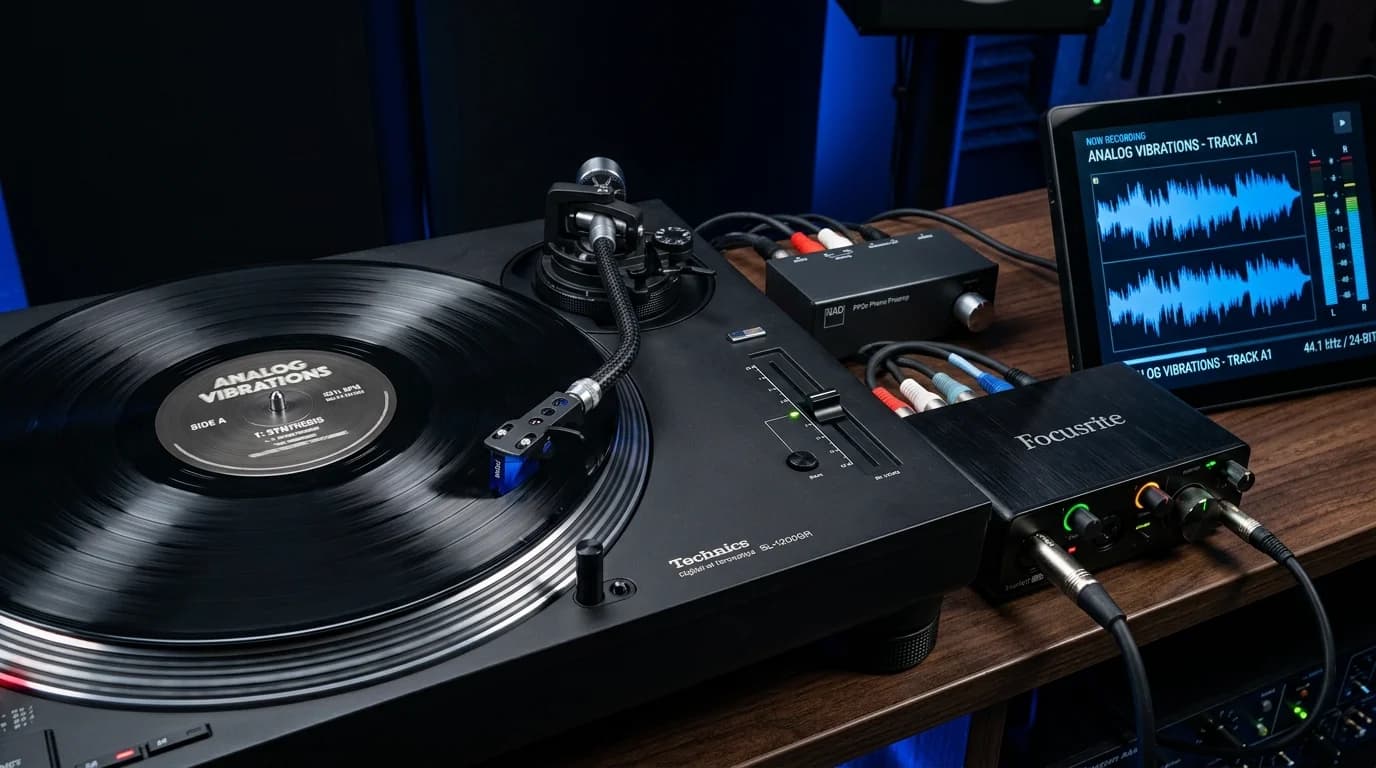
Why Digitize Vinyl?#
Vinyl culture remains deeply relevant, but modern DJ workflows revolve around rekordbox, Serato, and Traktor. Many DJs want to integrate rare vinyl-only tracks into their digital sets.
Tracks that often exist exclusively on vinyl include:
- 90s and early 2000s club music: Titles that never migrated to digital platforms
- Limited pressings: 300-copy white labels and promo releases
- DJ-only edits: 12-inch singles with extended breaks
- Out-of-print releases: Labels that no longer exist
Digitizing these records unlocks them for modern DJ environments.
Required Equipment#
Turntable#
Pitch accuracy is critical. Direct-drive turntables (Technics SL-1200 series, etc.) are recommended. Belt-drive models may introduce pitch instability.
Cartridge/Stylus#
For ripping, prioritize tracking ability over DJ durability. A hi-fi cartridge (e.g., Ortofon 2M Red) reads groove detail more accurately than a DJ-oriented stylus.
Phono Preamp#
Turntable output is at PHONO level (very low signal) and requires RIAA equalization curve correction. A quality phono preamp ensures flat frequency response.
Audio Interface#
For A/D conversion into your computer. Choose one supporting at least 24-bit/96kHz. Focusrite Scarlett, Universal Audio Volt, and Audient iD are popular choices.
Recording Software#
Audacity (free) or Adobe Audition. Must support 24-bit/96kHz recording.
Ripping Workflow#
Step 1: Clean the Record#
Essential before ripping. Dust and debris cause noise.
- Dry cleaning: Carbon fiber brush to remove surface dust
- Wet cleaning: Record cleaning solution with a microfiber cloth, wiping along the grooves
- Ultrasonic cleaning: Most effective but requires dedicated hardware (Humminguru, Degritter, etc.)
Step 2: Recording Settings#
Configure your software:
- Sample rate: 96kHz (downsample later)
- Bit depth: 24-bit
- Input level: Peaks around -6dBFS (headroom for safety)
Step 3: Record#
Play the record from start to finish without lifting the needle. Interruptions introduce noise. Record each side as a separate file.
Step 4: Split Tracks#
Edit the recording to isolate individual tracks using silent gaps between songs as markers.
Common Issues with Vinyl Rips#
1. Surface Noise#
The persistent "hiss" or "shhh" from the record surface, most noticeable in quiet passages.
2. Click and Pop Noise#
"Tick" and "pop" sounds from scratches or debris in the grooves. Deep scratches may cause skipping.
3. Wow and Flutter#
Pitch fluctuation from turntable speed inconsistency. More prominent on cheaper players.
4. Low Loudness#
Vinyl's wider dynamic range means lower relative loudness compared to modern digital releases. This creates a significant level mismatch when mixing vinyl rips alongside Beatport purchases.
5. Frequency Response Bias#
Physical vinyl constraints result in mono-summed ultra-low frequencies (below 30Hz) and naturally rolled-off highs.
DeckReady Optimization#
Playing raw vinyl rips alongside digital tracks exposes volume and tonal differences immediately. DeckReady addresses both efficiently.
Loudness Matching#
Vinyl rips typically measure -14 to -18 LUFS. Digital tracks from Beatport sit around -8 to -6 LUFS. This gap is critical in live performance.
DeckReady's Club Ready preset brings vinyl rips to club-standard loudness. The built-in limiter prevents clipping while delivering natural-sounding level increases.
EQ Correction#
Vinyl's characteristic frequency profile gets balanced out:
- Low-end tightening: Reduces the boomy quality common to vinyl bass
- Mid-high clarity: Preserves analog warmth while adding digital-era definition
- High-end restoration: Gently boosts rolled-off highs for air and presence
Preset Selection#
- Club Ready: Universal choice. Brings loudness to modern club standards with balanced EQ
- Warm Analog: Maximizes the analog character. Ideal for jazz, soul, disco, and funk where warmth is essential
- Bass Heavy: For dub plates, reggae/dub 12-inches, and bass-centric material
Noise Handling#
DeckReady is not a noise removal tool, but appropriate loudness adjustment reduces the relative prominence of surface noise. For serious noise issues, process with iZotope RX or Audacity's noise reduction first, then run through DeckReady.
Format Selection#
| Format | Advantages | Disadvantages |
|---|---|---|
| WAV | Maximum quality, universal DJ support | Large files, limited metadata |
| FLAC | Lossless, half the file size, rich metadata | Some DJ software limitations |
| AIFF | WAV-equivalent quality, rich metadata | Large files |
DeckReady's recommended output is WAV for maximum DJ software compatibility and zero decode overhead during playback.
Complete Workflow#
- Clean the record — Ultrasonic or wet cleaning
- Record at 24-bit/96kHz — Leave headroom at peaks 3. Split tracks — Use Audacity to isolate each song 4. Noise reduction (if needed) — iZotope RX or Audacity 5. DeckReady optimization — Club Ready or Warm Analog preset 6. Export as WAV — 16-bit/44.1kHz or 24-bit/44.1kHz 7. Import to DJ software — Run BPM analysis, set cue points
Troubleshooting#
Hum Noise (50/60Hz Buzz)#
Power-line hum typically caused by ground loops. Solutions: verify turntable grounding, use a DI box with ground lift, or apply a notch filter at 50/60Hz post-recording (caution: this affects kick drum content too).
Unstable Pitch#
Belt-drive turntables with worn belts produce pitch drift. This causes inaccurate BPM analysis in DJ software. Fix with DAW time-stretching after recording, or use a direct-drive turntable.
Clipped Recording#
Clipping (distortion from levels hitting 0dBFS) is nearly impossible to fix after the fact. Always record with peaks around -6dBFS. Low recording levels are easily corrected by DeckReady later.
Legal Considerations#
Digitizing vinyl records you own for personal use is generally permitted under copyright law in most jurisdictions. However, distributing the digital files to others constitutes copyright infringement. Using rips in DJ sets is typically within personal-use scope, but recording and publicly distributing mixes that include these tracks may require rights-holder permission.
Conclusion#
Digitizing vinyl takes effort, but it gives you access to tracks no other DJ has in their digital library. Maximize ripping quality, optimize with DeckReady to sit seamlessly alongside your digital collection, and bring the magic of vinyl into the modern club environment.
Your record collection deserves to be heard on today's dancefloors.
Get DJ mastering tips
Weekly tips for music production.
Related Articles
EDM vs Techno Mastering: Genre-Specific Settings for DJs
Master EDM and techno tracks the right way. Learn genre-specific loudness targets, kick and bass processing, sidechain preservation, and how DeckReady's Club preset handles cross-genre DJ sets.
Outdoor Festival Mastering: How to Prepare Your Tracks for Open-Air Sound
Learn how outdoor acoustics differ from indoor venues, why low-end disappears outside, and how to master your DJ tracks for festivals with the right LUFS targets and low-frequency treatment.
Serato DJ Audio Preparation Guide: Get Better Sound Quality
Learn how to prepare audio files for Serato DJ with the right formats, bitrates, and loudness normalization. Includes a DeckReady workflow for consistent sound pressure across your entire set.
How to Fix SoundCloud Audio Quality for Club-Ready DJ Sets
SoundCloud's 128kbps downloads sound weak on club systems. Learn how to optimize low-bitrate audio for professional DJ use with DeckReady's batch processing workflow.