iZotope Ozone vs Online Mastering Tools: Which One Do You Actually Need?
Compare iZotope Ozone with online mastering services like DeckReady and LANDR. Covers pricing, learning curve, audio quality, use cases, and workflows that combine both for the best results.
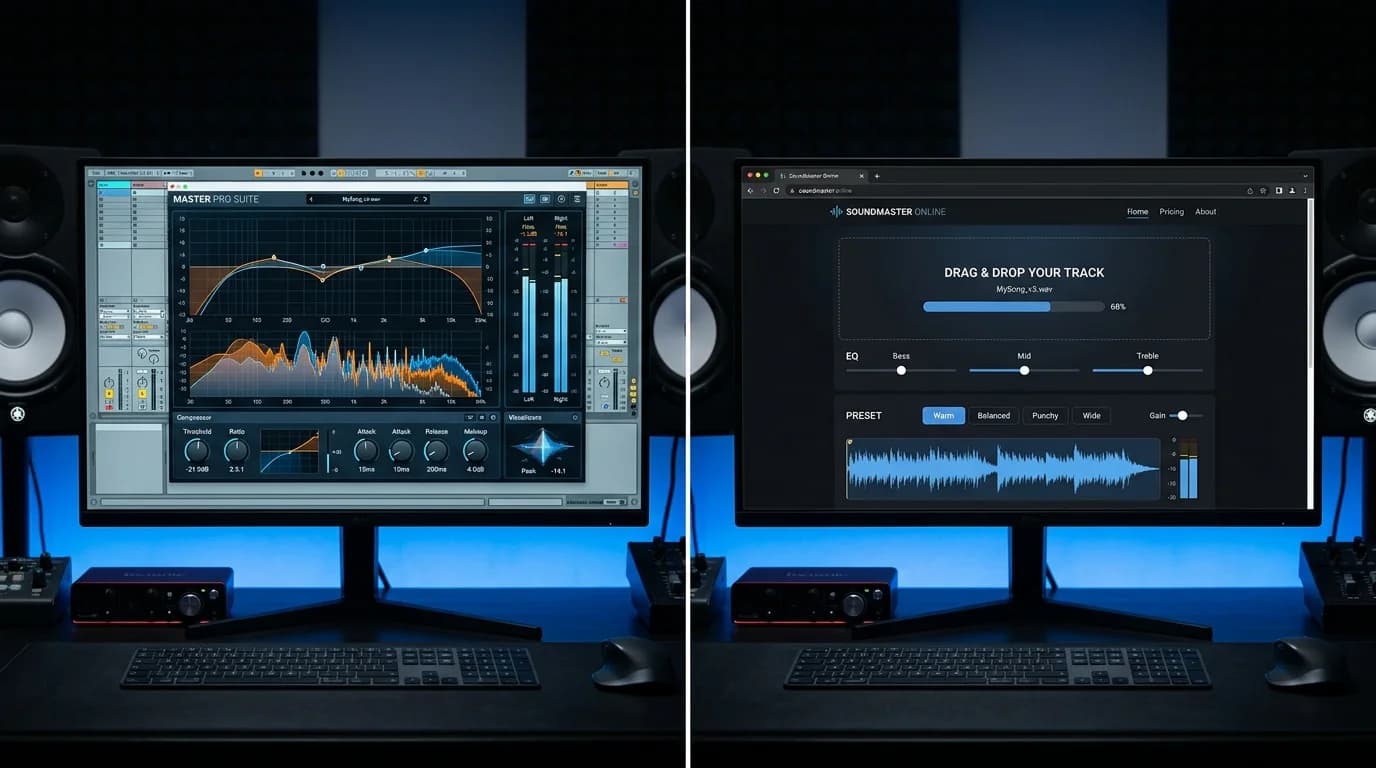
What Is iZotope Ozone?#
iZotope Ozone is the de facto standard DAW plugin for mastering. Since its 2001 debut, it has been adopted by professional mastering engineers and bedroom producers alike.
It bundles EQ, compressor, limiter, exciter, imager, and maximizer into a single plugin, with each module freely chainable. The latest version includes "Master Assistant" — an AI feature that analyzes your track and suggests starting parameters.
What Are Online Mastering Tools?#
Online mastering tools provide mastering through browser or web applications. The major options include:
- DeckReady: DJ-focused, browser-based with local DSP processing
- LANDR: AI-powered automatic mastering with distribution services
- eMastered: Grammy engineer-supervised AI mastering
- CloudBounce: AI mastering plus mixing assistance
- BandLab: Free DAW with built-in mastering capabilities
Their primary advantage: professional-quality results without specialized knowledge.
Price Comparison#
iZotope Ozone#
- Ozone Elements: ~$50–$100 (on sale)
- Ozone Standard: ~$200–$250
- Ozone Advanced: ~$400–$500
- Music Production Suite (bundle): ~$600–$800
One-time license purchase, though major upgrades cost extra. Subscription plans (~$10–$20/month) are also available.
Online Tools#
- DeckReady Free: Free (5 tracks/month)
- DeckReady Pro: Monthly subscription
- LANDR: $10–$15 per track / $14–$30/month subscription
- eMastered: ~$9–$39/month
Low upfront investment with pay-as-you-go flexibility is the online advantage.
Cost Decision Framework#
| Monthly Volume | Recommendation |
|---|---|
| 1–3 tracks | Online tools (per-track pricing) |
| 4–10 tracks | Online subscription or DeckReady |
| 10+ tracks | Ozone (better long-term cost efficiency) |
| DJ batch processing | DeckReady (batch-optimized) |
Learning Curve Comparison#
iZotope Ozone#
Ozone is extremely capable but demands significant learning investment.
Knowledge required:
- EQ frequency bands and their roles
- Compression and limiting principles
- Stereo imaging concepts
- Loudness standards (LUFS, True Peak)
- M/S processing
- DAW integration setup
Master Assistant provides a starting point for beginners, but evaluating whether its suggestions are appropriate still requires understanding.
Time to proficiency: 1–2 weeks for basics, 3–6 months for practical mastery
Online Tools#
Online tools are operationally simple.
DeckReady workflow:
- Drag and drop files
Set target LUFS 3. Click process 4. Preview and download
LANDR workflow:
- Upload file
Select style and intensity 3. Preview result 4. Download if satisfied
Time to proficiency: Minutes to 1 hour
Audio Quality Comparison#
iZotope Ozone Quality#
When properly configured, Ozone delivers studio-grade quality. Specific strengths:
- Transparent EQ: Linear phase EQ with zero artifacts
- Intelligent limiting: IRC (Intelligent Release Control) for natural-sounding limiting
- Precise imaging: Per-band stereo width control
- Match EQ: Analyze and apply a reference track's frequency profile
Online Tool Quality#
Online tools have improved significantly year over year but can't match Ozone for fine detail work.
However, for many use cases, online tools are more than sufficient:
- Streaming releases: Platform loudness normalization means extreme loudness is counterproductive anyway
- DJ sets: When loudness normalization is the primary goal, DeckReady's DSP is fully adequate
- Social media content: Compressed delivery means subtle quality differences are inaudible to listeners
Use Case Recommendations#
Choose Ozone If You Are#
- A professional mastering engineer: Client work demands the highest quality
- A serious music producer: You want maximum control over your releases
- A learner: You want to deeply understand mastering technique
- Already in a DAW workflow: You have the environment to run plugins
Choose Online Tools If You Are#
- A DJ or event organizer: Loudness normalization is your primary need → DeckReady
- An indie artist: Cost-effective releases → LANDR
- A beginner: Experience mastering's impact first → DeckReady / BandLab
- Short on time: Immediate results needed → DeckReady / LANDR
The Combined Workflow#
Ozone and online tools aren't either/or — they're most powerful combined.
Producer Workflow#
- Complete mixing in your DAW
Master with Ozone for your release version 3. Run through DeckReady for a DJ-optimized loudness version
DJ Workflow#
- Use DeckReady routinely for track loudness normalization
Master original productions with Ozone (or LANDR) 3. Post-release, run through DeckReady for DJ-set-ready versions
Can You Master Without a DAW?#
If you don't own a DAW or don't know how to use one, Ozone isn't practical — it requires a DAW host to function.
DeckReady and LANDR work entirely in the browser. No software installation, no hardware investment, no DAW knowledge needed.
Final Thoughts#
iZotope Ozone is the tool for those who want maximum quality and full control. Online mastering tools like DeckReady are for those who need practical results efficiently.
If your path leads toward professional engineering, Ozone is an essential investment. If your goal is consistent DJ track loudness, quick indie releases, or streaming-ready audio, online tools deliver excellent results at a fraction of the cost and complexity.
There's no single "right answer" — only the right tool for your specific goals.
Get DJ mastering tips
Weekly tips for music production.
Related Articles
How to A/B Compare Audio Like a Pro — Train Your Ears
Learn the correct way to A/B compare audio before and after processing. Eliminate loudness bias, use blind testing, and focus on the right frequency bands to make better mixing and mastering decisions.
ASMR Recording & Mastering Guide — Capture Whispers Beautifully
Complete guide to recording and mastering ASMR audio. Learn noise floor management, dynamic range optimization, platform-specific LUFS settings, and best practices for whisper-quiet content.
Mastering Tips for Bandcamp Releases — Self-Release Like a Pro
Essential mastering tips for Bandcamp self-releases. Learn optimal upload formats, genre-specific LUFS targets, album consistency techniques, and how DeckReady simplifies Bandcamp mastering.
How to Master Audio for Car Listening — Drive BGM Optimization
Master your music for car audio playback. Learn about in-car acoustics, road noise compensation, subwoofer considerations, and how DeckReady's Club preset optimizes tracks for driving.